


My Tidy Life
4.51.33K Reviews
App Specs
- Version
- 1.5.5
- Updated On
- License
- Free
- Downloads
- 5,000,000+
- Developer
- Ruby Games AS
- Categories
- Casual
- Platform
- Android
Screenshots
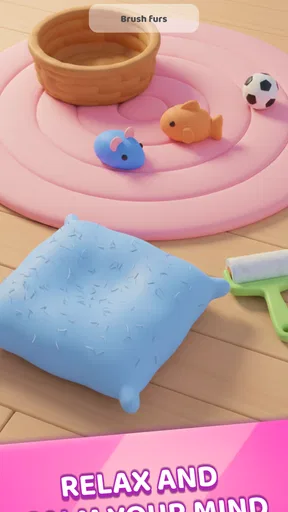
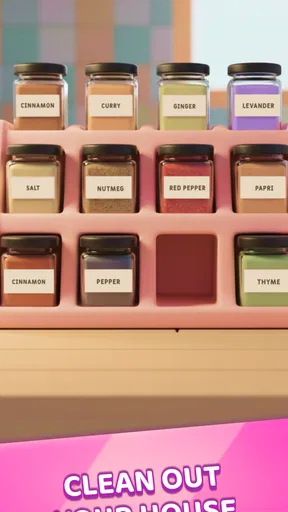
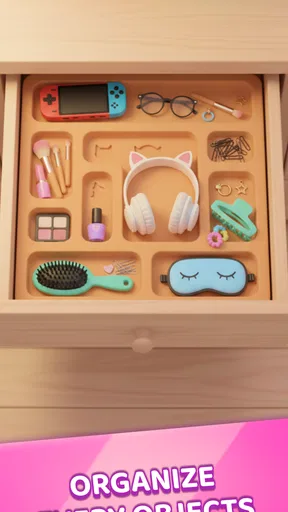
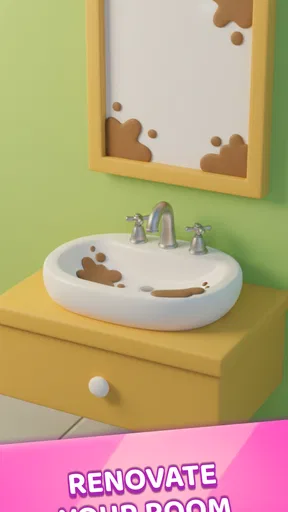
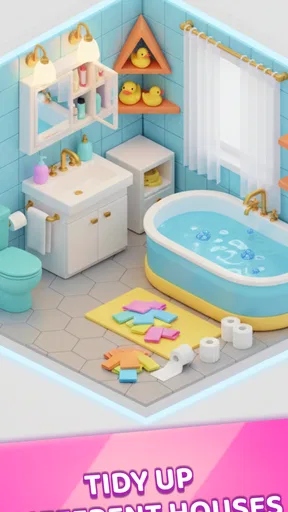
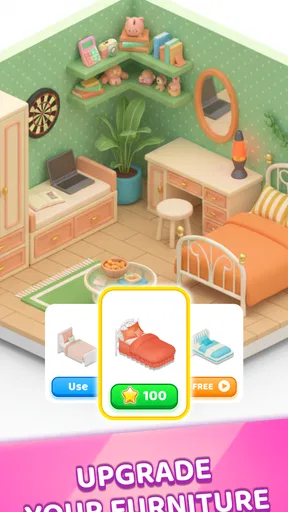
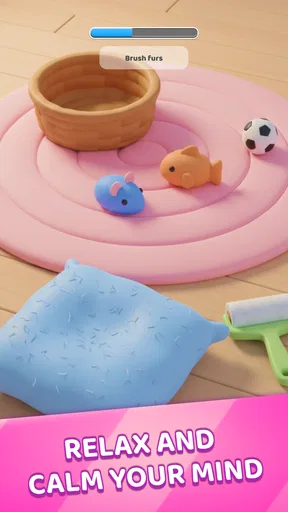
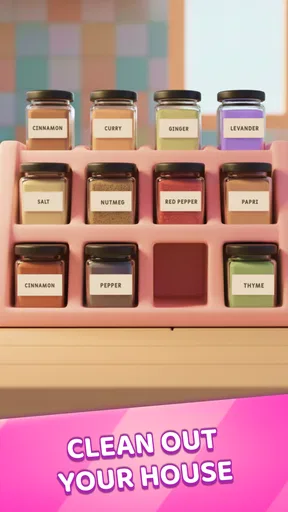
 Analysis by AppCompare
I approached My Tidy Life expecting a simple casual game built around making messy spaces look better, and that is exactly the kind of experience it offers. Its central appeal is easy to understand: you tidy, customize, and enjoy the visible change. I found it most comfortable as a short-session game rather than something demanding my full attention for a long evening. The satisfaction comes from turning an untidy starting point into a cleaner, more personal result.
That straightforward idea makes it approachable for first-time players. You do not need experience with strategy games, decorating games, or complicated management systems to understand what you are meant to do. The store summary, “Tidy and Customize!”, describes the basic direction accurately, while the short description, “My Tidy Life,” gives it a light, personal tone. I would recommend it to anyone who likes visual progress and gentle tasks more than competition or high-pressure challenges.
What the first few minutes feel like
My first useful advice is to treat the opening session as a learning period instead of rushing through it. Look at the whole space before tapping quickly. The game is easier to understand when you notice what needs attention, what can be changed, and how each action affects the appearance of the room or area. That small pause helps you build a rhythm: inspect, tidy, customize, then check the finished result.
The first meaningful success is not simply completing a task. It is recognizing the visual difference between the starting state and the result. That change gives the game its strongest feedback. If you are introducing it to someone who usually avoids games, this is a good place to start because the goal is visible and the progress feels immediate without requiring a long explanation.
As a casual game, it works particularly well in everyday gaps. I can imagine playing during a short break, while waiting for an appointment, or at the end of the day when I want something interactive but not mentally exhausting. A realistic routine would be to open it for a few minutes, finish one small tidying objective, make a customization choice, and stop after seeing the improved space. That makes it easier to enjoy without feeling that the game has taken over your free time.
There is also a useful psychological difference between tidying and customizing. Tidying gives you a clear job to finish, while customization gives you room to express a preference. When I wanted a more structured session, I concentrated on completing the practical work first. When I wanted something more relaxing, I paid more attention to how the final arrangement looked. Switching between those two moods keeps the basic loop from feeling completely flat.
Getting started without overthinking it
The game is free, so the initial decision is easy: install it and see whether the tidy-and-customize loop suits you before spending anything. It is suitable for Everyone, which matches the accessible tone and makes it a reasonable choice for families or younger players who enjoy visual organization. I would still suggest that adults check purchase settings on the device if a child will be playing, because optional in-app purchases range from $0.99 to $19.99 per item.
Worth Reading Before You Choose

EA SPORTS FC Mobile 26 Is a Bigger Football Game, but It Takes Time

Flipboard Shows What News Apps Must Do Beyond the Feed

Switching to Android Auto Means Rethinking Your Driving Routine

Google Calendar Makes a Crowded Week Easier to Manage

Ludo King Makes the Most of the Minutes Between Plans

Baby Panda World Brings Quick Play to Modern Phones, but Its Game Library Feels Busy
It runs on Android 7.0 or later, so compatibility is broad for many older devices. The current version is 1.5.5, and Ruby Games AS is the developer behind it. Those details matter most when you are deciding whether an older phone or tablet can handle the installation. Once it is installed, I recommend beginning with the default experience rather than immediately judging the game by its customization choices. First learn how its actions are presented; then decide whether the personal touches are worth your attention.
One point that can confuse new players is the difference between progress and decoration. A room may look better because you completed the required tidying, but that does not necessarily mean every possible personal choice has been explored. I found it more useful to finish the obvious task, take a moment to inspect the result, and only then experiment with the available appearance changes. This avoids tapping randomly and gives each choice more meaning.
Another practical tip is to keep your first session deliberately small. Do not try to understand every part of the game at once. Complete the first clear objective, observe the reward or transition that follows, and then decide whether you want to continue. This approach is especially helpful for children and for players who are testing the game on a device with limited storage or an older operating system. The goal is to discover whether the core interaction feels satisfying, not to master the entire experience immediately.
Where the satisfaction comes from
The strongest part of the design is the before-and-after contrast. Many casual games rely on a score, a timer, or a streak to make progress feel important. Here, the visual improvement is the main reason to continue. That makes the experience calmer than a typical reflex game and more direct than a puzzle game where the result may be abstract. If you enjoy seeing disorder become organized, the feedback is easy to appreciate.
I also like that the premise gives each action a natural context. You are not completing unrelated taps simply because a level requires them; the actions are connected to the idea of improving a space. That connection makes the first successful result feel more coherent. It is a small distinction, but it helps My Tidy Life stand apart from casual games that use decorative rewards without making them feel connected to the player’s work.
At the same time, the simplicity creates a limitation. Players who need deep strategy, a complicated economy, fast competition, or a strong narrative may find the experience too light. The game is not the right substitute for a demanding puzzle title, a detailed interior-design simulator, or a competitive multiplayer game. Its value is in the calm, visible loop, and that loop will naturally appeal less to people who want constant novelty or difficult decisions.
Compared with ordinary organizing games, the customization angle gives the activity a more personal finish. Compared with decorating-focused alternatives, the tidying premise provides a clearer starting task. In my experience, this combination is the reason to choose it: you are not only selecting an attractive result, and you are not only clearing a mess. You move from one state to another and then get to make the result feel more like your own.
Small habits that make the loop better
A surprisingly useful habit is to separate “must do” actions from “nice to try” actions. I would complete the essential tidying first, because it gives the session a clear endpoint. After that, I would explore customization only if I still felt engaged. This prevents the decorative choices from turning a short, relaxing session into an aimless one, and it helps you understand which parts of the game you genuinely enjoy.
A second tip is to use the game as a visual reset rather than background noise. If you play while distracted, the changes can blur together and the main reward loses some impact. Giving it even a minute of focused attention makes the transformation easier to notice. That is particularly useful for first-time users who are deciding whether the game has enough substance for regular play.
A third trade-off concerns spending. Because the game is free to start, you can evaluate the basic loop without committing money. However, the presence of item-based purchases means that players who want every available option should decide on a budget before exploring them. I would not spend simply because a choice appears; I would first confirm that the core tidying action is enjoyable on its own. If it is not, additional customization is unlikely to solve that problem.
For a family setting, I would also establish a simple rule before handing over the device: play first, ask before making a purchase. The Everyone rating makes the game approachable, but age suitability and spending control are separate questions. This small boundary keeps the experience focused on the game rather than on accidental store activity.
Making short play fit real interruptions
The game’s easy-to-read goal is useful when a session may be interrupted, but I would still choose a natural stopping point rather than closing it in the middle of an action. Finishing a small task and taking a quick look at the result gives the visit a sense of completion. If a call or other demand cuts in, returning later is less frustrating when I remember what I had just finished, instead of leaving the space half-worked and wondering what I was doing.
For example, on a commute with a few minutes to spare, I would use one stop or quiet interval to make progress on a single objective, then put the phone away. At home, the same loop suits a brief pause between chores: complete the practical part, enjoy the visual change, and decide whether there is time for customization. This is a better fit than opening it when I want a long, evolving challenge, because the pleasure is concentrated in small transformations rather than extended planning.
There is a trade-off in that convenience. A clear task makes it easy to begin, but it does not automatically make every return feel fresh. I would treat the game as an occasional palate cleanser rather than something that must become part of a daily routine. The ability to enjoy a small amount at a time is a strength; expecting a deep reason to keep playing for a long stretch would put pressure on the very simplicity that makes it approachable.
Who will enjoy it, and who should skip it
My Tidy Life is a good match for players who like order, visual change, and uncomplicated goals. It suits someone who wants a casual game for short breaks, a younger player attracted to customization, or an adult looking for a gentle activity after work. The free entry point also makes it easy to recommend to a friend: there is no need to explain a complex system before they can try the central idea.
I would be more cautious about recommending it to players who become bored when a game repeats a simple interaction. If you prefer intense challenge, precise timing, elaborate planning, or a story that drives every decision, you may be happier with another category. A dedicated puzzle game is likely better for testing problem-solving skills, while a larger simulation may offer more depth for players who want long-term planning and detailed control.
The rating of 4.5 from around 48,000 ratings suggests that the broad audience has responded positively, and more than 5 million installs show that the concept has reached a substantial number of players. Those figures do not change my personal judgment, but they do place the game in the popular end of casual mobile entertainment. I see that popularity as understandable: the premise is immediately readable, and the visual payoff does not require a long tutorial.
Still, popularity should not be confused with universal appeal. The same simplicity that makes the game welcoming can make it feel limited if you are looking for a constantly evolving challenge. I would give it a fair trial through several short sessions rather than deciding after a single tap, but I would also stop if the tidy-and-customize rhythm already feels repetitive. There is no reason to force yourself to enjoy a deliberately light game.
What to expect from replaying it
Replay value here depends less on mastering a system and more on whether the small act of improving a space remains pleasant for you. I would not approach each return expecting a dramatic new challenge; instead, I would ask whether I am in the mood for a tidy task and a visible finish. That expectation makes a difference. A player who enjoys calm repetition can find comfort in the familiar sequence, while someone who measures replay value by new mechanics may quickly want something else.
When I want to keep the loop from feeling automatic, I would set a small personal focus for each visit: pay attention to the practical cleanup one time, and take more care over the final look on another. This does not change the game’s systems, but it changes how deliberately I engage with what is already there. It is a modest way to get more out of a simple design without pretending it offers endless depth.
My recommendation after testing the experience
My overall impression is positive, with the right expectations. This is a casual game about the pleasure of improvement: start with disorder, take practical actions, and finish with a space that looks more personal. The path from installation to the first satisfying result is reassuring because the objective is easy to recognize and the reward is visible. I would recommend beginning slowly, completing the first clear task, and treating customization as an optional second layer rather than something you must understand immediately.
The free price makes trying it straightforward, while the Everyone rating and Android 7.0 minimum make it accessible to a wide range of users. The main caution is the in-app purchase range, so I would set spending expectations before letting a child play or before exploring every available item. For me, that is a manageable consideration rather than a reason to dismiss the game.
In the end, I would choose this over a typical fast-paced casual game when I wanted something calmer and more visual. I would choose a deeper puzzle or simulation instead when I wanted complexity, challenge, or long-term planning. If the simple act of making a space look better sounds satisfying, My Tidy Life is worth trying. Its best quality is also its clearest promise: the first success arrives through a visible transformation, not through a complicated system.
Pros
- Simple controls make it easy for casual players to pick up.
- Short tasks fit well into quick gaming sessions.
- Bright visuals and cheerful animations create a relaxing mood.
- Room customization gives players a satisfying sense of progress.
- Offline play is useful when you have no internet connection.
Cons
- Progress can feel repetitive after completing similar cleaning tasks.
- Some upgrades and items may require patience or in-app purchases.
- The game may feel too easy for players seeking a serious challenge.
- Loading times can increase on older phones or tablets.
- Limited customization options may disappoint creative players.
FAQs for My Tidy Life
What is My Tidy Life?
My Tidy Life is a casual organization and home-makeover game in which you clean, arrange, decorate, and improve different spaces. You typically begin with messy rooms or challenging areas and complete tidy-up tasks to unlock progress, furniture, decorations, and new locations. The game is designed for short, relaxing sessions and focuses more on satisfying visual improvements than on complex strategy.
Is My Tidy Life free to download and play?
My Tidy Life is generally available as a free download, although the exact availability may depend on your Android or iOS region. Like many casual mobile games, it may include optional in-app purchases, advertisements, or rewarded videos. These can provide extra resources, speed up progress, or unlock certain conveniences. Before downloading, check the store listing for current pricing, age rating, and purchase information.
Does My Tidy Life require an internet connection?
Some parts of My Tidy Life may work without a constant internet connection, particularly basic cleaning, organizing, or decorating activities. However, an online connection may be required for advertisements, purchases, cloud features, updates, event content, or validating game progress. If you plan to play offline, test the game after installation because offline functionality can vary between versions and devices.
Is My Tidy Life suitable for children?
My Tidy Life is generally easy to understand and uses simple interactions, making it approachable for younger players. Nevertheless, parents should review the current store age rating and check whether the game displays advertisements or offers in-app purchases. If children use the app, parental controls are recommended to prevent accidental purchases and to manage advertising, screen time, and any external links.
What devices are compatible with My Tidy Life?
My Tidy Life is intended for modern Android and iOS smartphones and tablets, but compatibility depends on the operating system version, available storage, and device performance. Older phones may experience slower loading, reduced visual quality, or occasional crashes. Before installing, open the official Google Play or App Store listing to confirm the required operating-system version and whether your specific device is supported.


